Zedlin

Servers

Everything a server can tell you, one tap away.

Open a server and work: a real terminal, live metrics, every log, services, containers, files and users. Zedlin reaches them over SSH, so your servers don't need an agent for any of this.

Monitor

See what is using the machine.

CPU, memory, disk and network live and over time, with the processes and services behind them, grouped so that the real consumer stands out.

  • Live cards and history charts
  • Top consumers by service, container or user
  • Per-minute history on team servers
  • Every core, disk and network interface
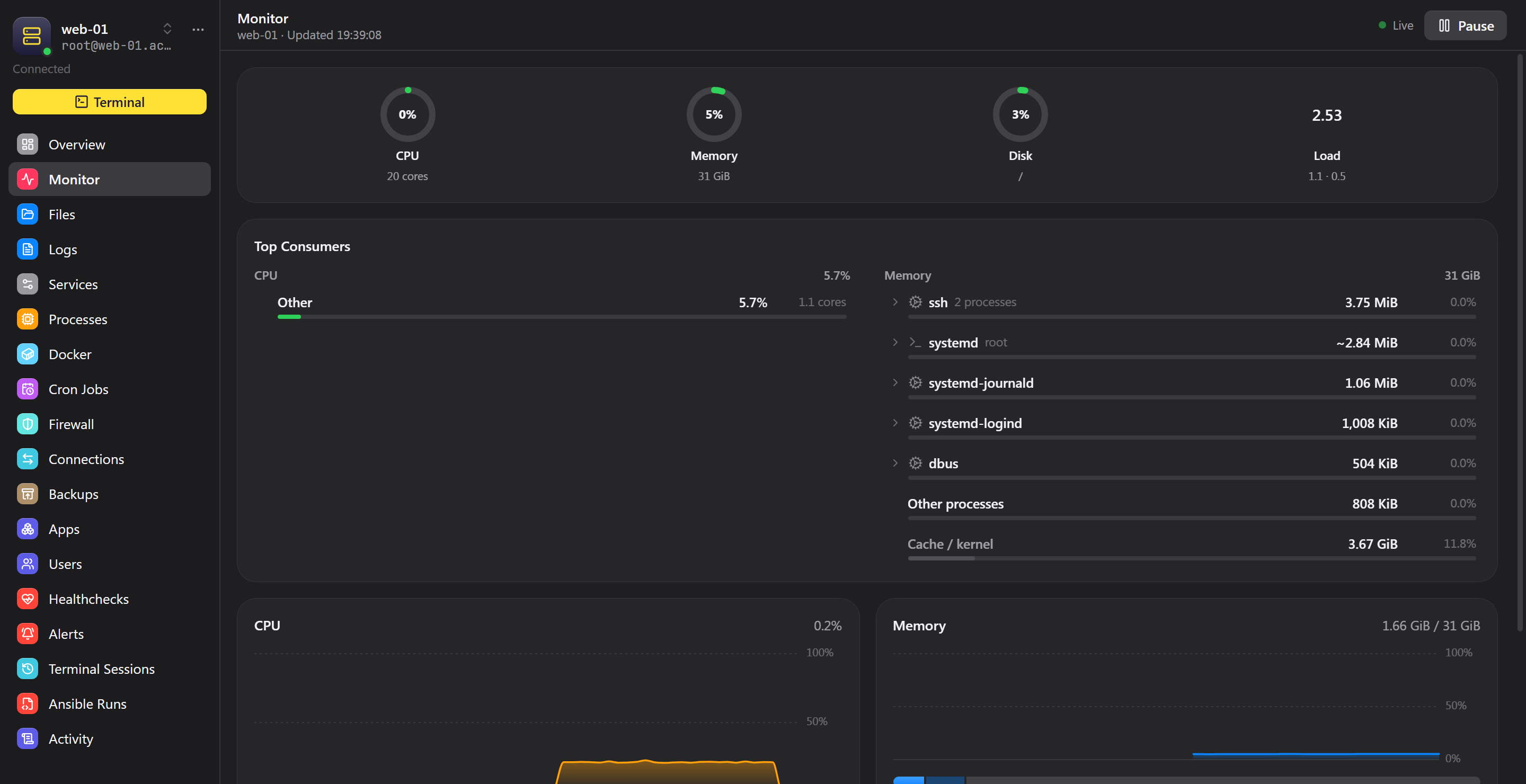
Zedlin desktop app showing a server's CPU, memory and disk with its top consumers

Logs

Any log, live, on any system.

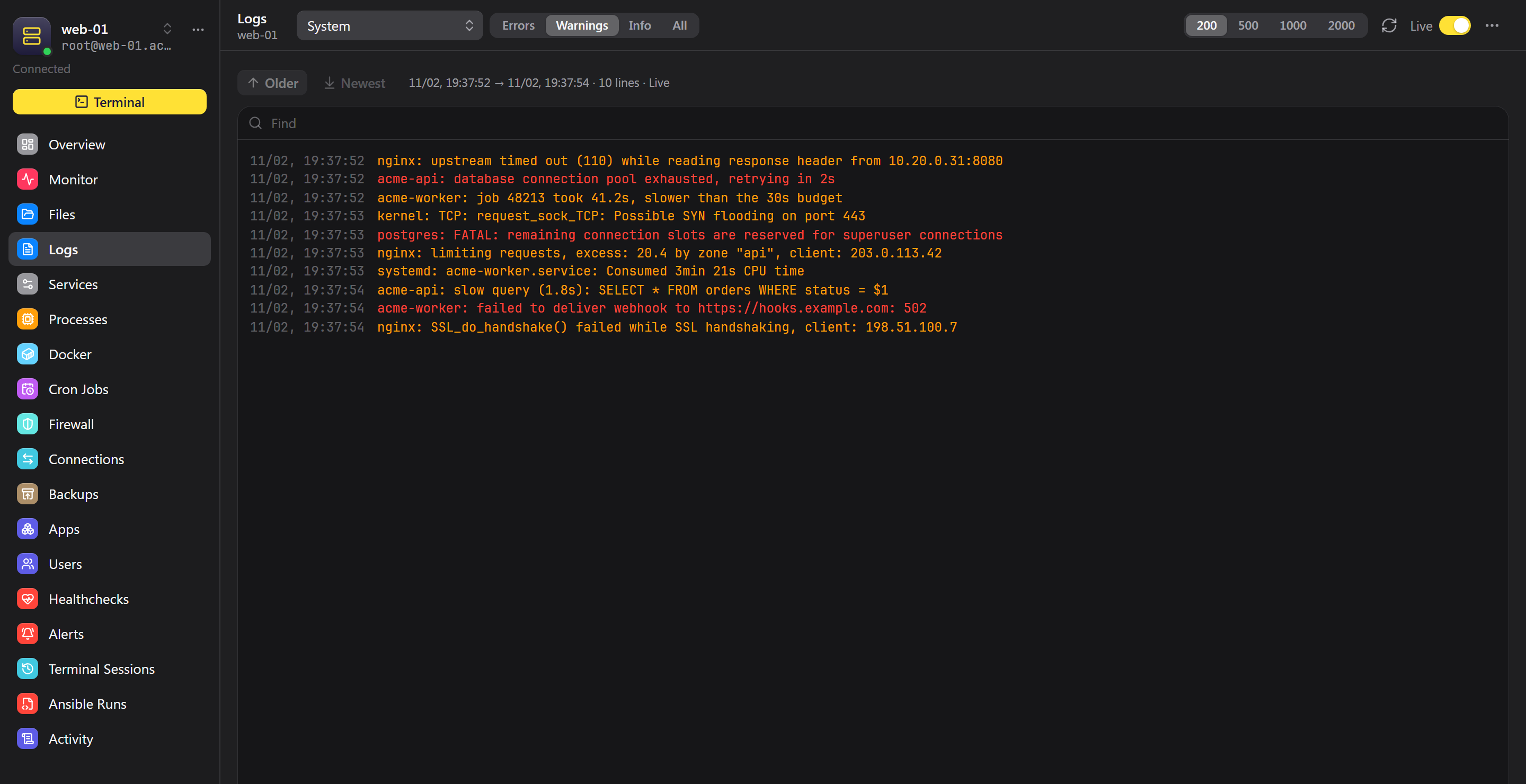
Zedlin recognises the system and offers its basic logs. For anything else, add a source with your own command, on any distribution, and watch it stream. Nothing is copied or stored.

  • journald, Windows Event Log and macOS unified log built in
  • Filter by errors, warnings and info; load older pages
  • Custom sources: tail -F, docker logs -f, Get-Content -Wait
  • Copy a source to your other servers
Zedlin desktop app showing a server's live system log with warnings and errors

Services

Act on what you see.

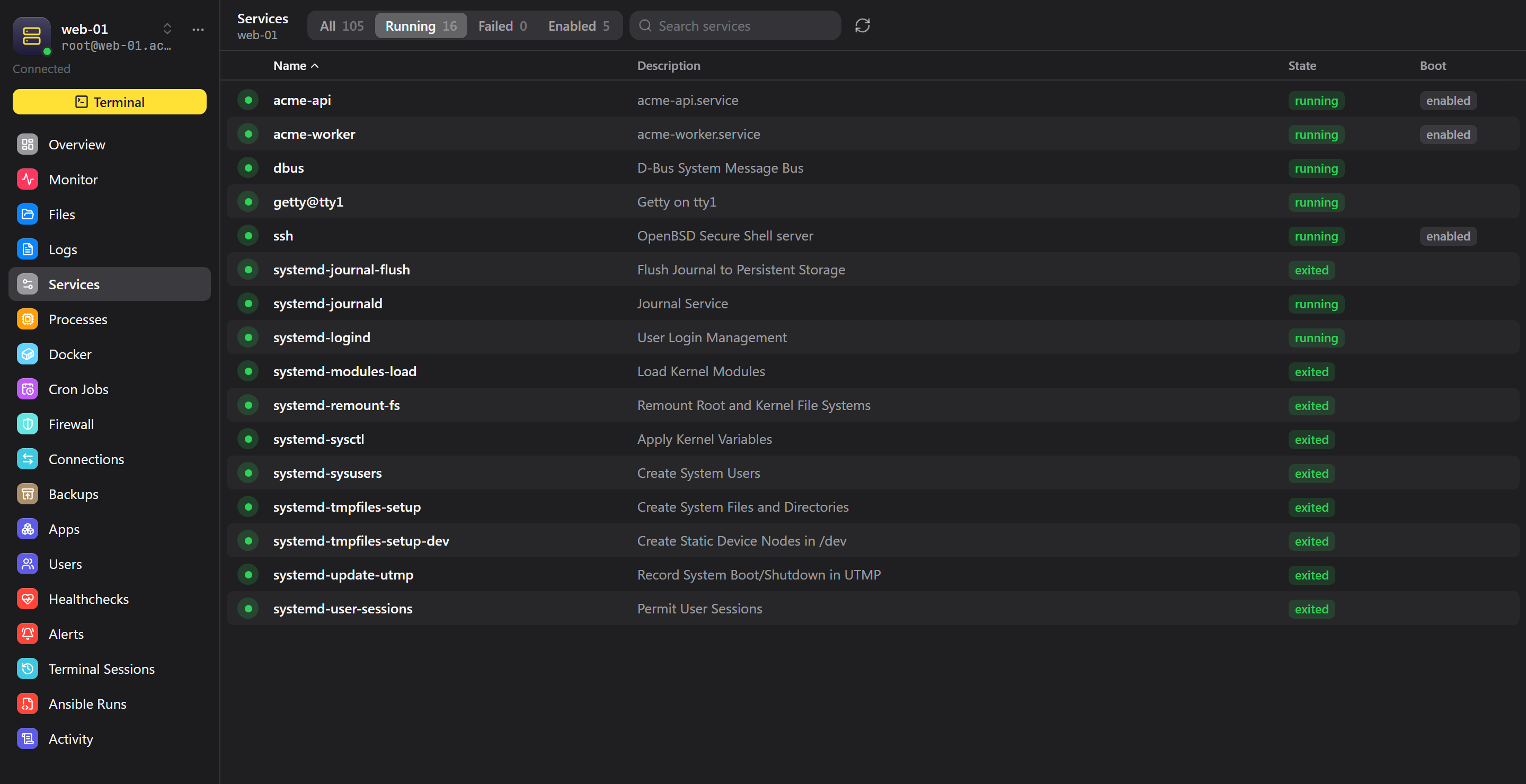
Start, stop and restart services and containers, kill a process, or edit a cron job without remembering the command. Every screen works from your phone too.

  • systemd, launchd and Windows services
  • Docker containers, images, stats and logs
  • Process groups with real memory use
  • Selection and bulk actions
Zedlin desktop app listing a server's system services and their state

Terminal and SSH

A terminal you can actually work in.

Fast and correct on a phone, with the comfort of a desktop terminal on a computer.

Terminal emulator

Keeps up with full-screen tools like htop, vim and less.

Key bar

Esc, Tab, Ctrl, Alt and arrows above the iPhone keyboard.

Snippets

Save a command once and run it anywhere.

Run on many servers

Send one command to several servers and read every result.

Jump hosts

Reach servers behind a bastion, like ProxyJump.

Host key checks

A changed host key stops the connection and asks you.

SSH keys

Create or import keys, including keys made in the Secure Enclave.

Files

Browse, edit and transfer. Moves, copies and deletes run on the server, so millions of files don't tie up your device.

Manage

The rest of the server.

Everything here also works from a personal workspace, directly from your device.

Docker

Containers, images, stats, logs and restart policies.

Processes

Grouped by service and container, sorted by load, with a kill button.

Cron jobs

Read, edit and run scheduled jobs without opening crontab.

Users

Accounts, sudo, passwords and SSH keys on each server.

Firewall

Read and change iptables rules. A change you don't confirm rolls back within a minute, so a mistake can't lock you out.

Remote Desktop

Open a Windows desktop inside Zedlin on iPhone, Windows and Linux.

What you can manage

Linux, Windows and macOS servers.

Full

Linux

Everything on this page, including cron, firewall and file backups. Any distribution with SSH.

OpenSSH or RDP

Windows

Terminal, monitor, logs, services, processes, Docker, users and files over OpenSSH Server, plus Remote Desktop.

SSH

macOS

Terminal, monitor, logs, launchd services, processes, Docker, cron, users and files.

Want to try Zedlin early?

Zedlin is in early access. Write to us and tell us how you'd use it.