Sees what the firewall drops
It reads packets before the firewall, so each attempt is accepted, rejected or unanswered.
Threats and port scans
Connection logs show every attempt to reach your servers, including the ones your firewall dropped. Daily port scans show what is open from outside and what is behind it. Both end in something you can do about it.
Threats
More failures, more servers, more ports and more sensitive ports push the score up.

Connection logs
A small collector, zedlin-flow, runs on each host you choose. You install, update and remove it with a built-in playbook.
It reads packets before the firewall, so each attempt is accepted, rejected or unanswered.
By direction, protocol, outcome, address, port and time, or follow it live.
Port scans and connection floods raise alerts, with the addresses behind them.
Turn a row into a firewall rule across your servers.
Mark an address as trusted, keep it silent, or don't record it at all.
Records wait on the host if Zedlin is away. Anything lost is shown as a gap.
Zedlin fetches records over its existing SSH connection.
A packet collector on Linux and macOS; on Windows, the Windows Firewall log.
Port scans
One of your own servers runs nmap against the others every day. Zedlin matches each open port with the process or container behind it.
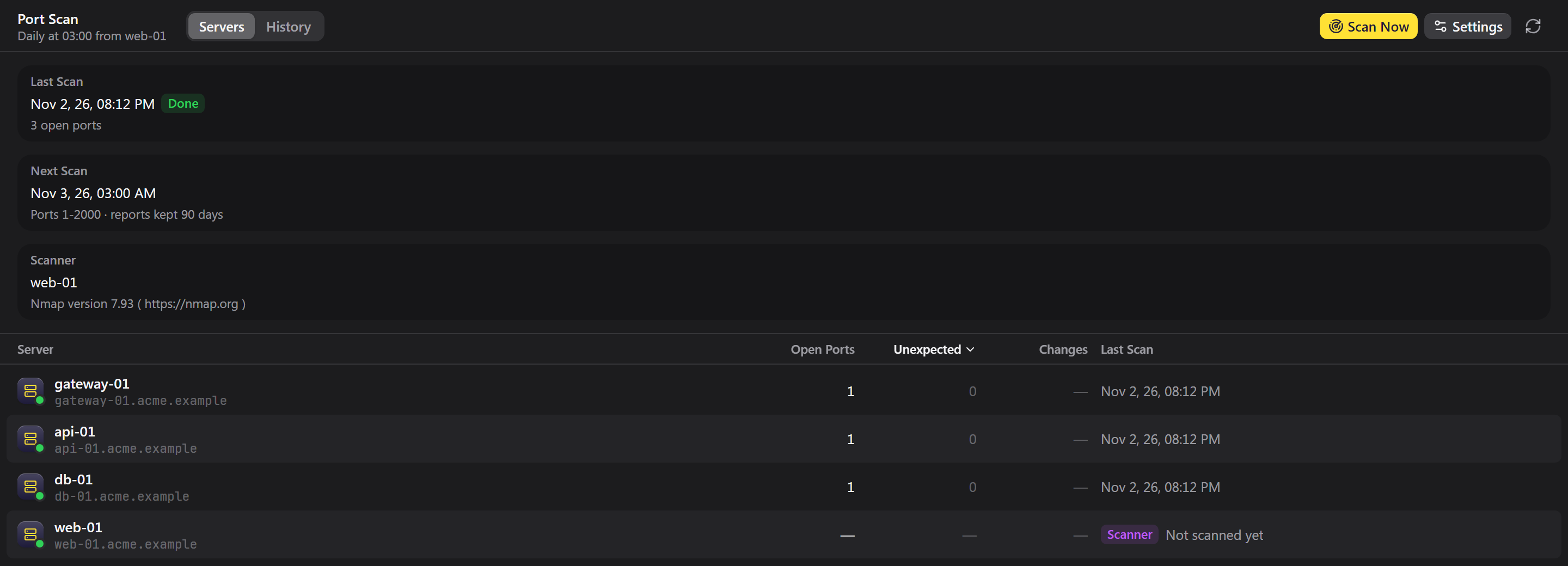
What a scan tells you
Open from outside, listening but closed off, or bound to localhost.
Newly opened and closed ports, and changed services, since the last report.
Mark what should be open for all servers, a group or one host. Only the rest raises alerts.
A database, Redis, RDP or VNC open to the world is a critical alert.
Mark the port expected, or close it in the firewall.
Daily at your chosen time, or scan now. A missed scan runs when the server comes back.
Threats and port scans run on a Zedlin server you host yourself.